
In This Article
The short version
- HubSpot's AI agents can research prospects, draft outreach, and answer customer questions. They are only as good as the data and content behind them.
- Start with one agent, one use case, and one success metric.
- Keep a human in the loop and review the agent weekly for the first month.
HubSpot has moved quickly on AI. Its AI tools and agents now cover prospecting, customer support, content, and more. The pitch is compelling. The reality depends almost entirely on how ready your portal is.
What the Main Agents Do
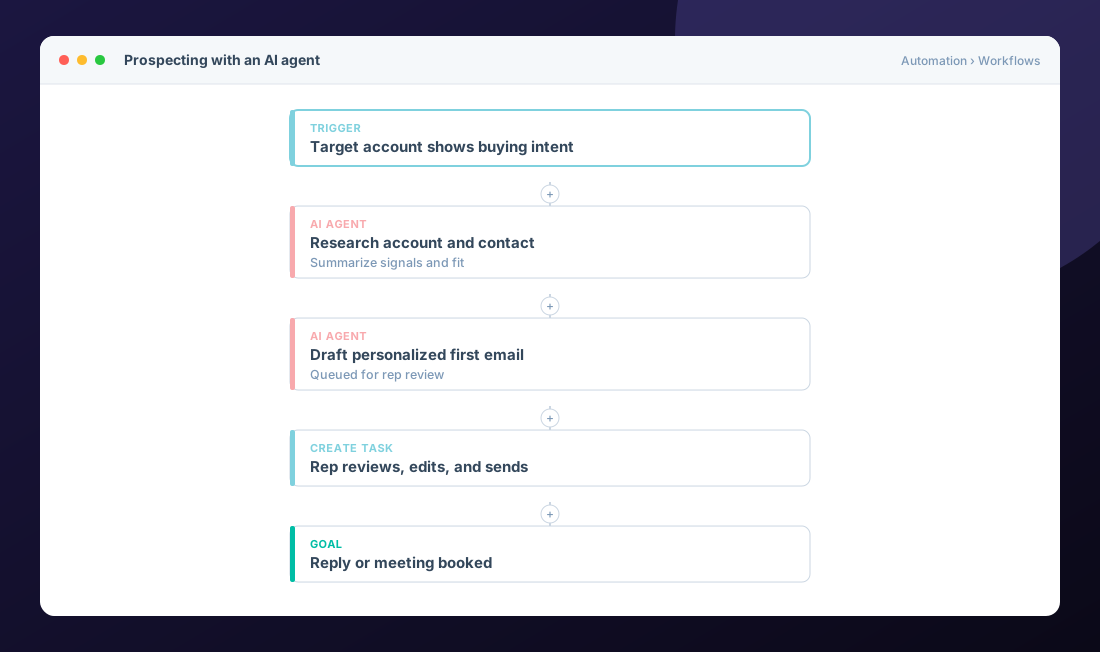
Prospecting agent
Researches target accounts and contacts, watches for signals, and drafts personalized outreach. Great for teams that know their ICP but don't have time to research every account. See HubSpot's guide to setting up the prospecting agent.
Customer agent
Answers customer questions on chat and other channels using your knowledge base and website content, and hands off to a person when needed. See set up the customer agent.
Workflows vs. agents
Workflows follow rules you define. Agents make judgment calls within limits. Use workflows for things that must happen the same way every time, and agents where research, language, or context matter. HubSpot has a helpful guide on when to use each.
A Safe Rollout Plan
- Pick one use case. For example: first-touch research and drafts for inbound leads from target accounts.
- Fix the inputs. ICP definition, company data, product messaging, and knowledge base content.
- Set guardrails. Review before send at first, clear handoff rules, and excluded audiences.
- Define success. Meetings booked, response quality, resolution rate, or hours saved.
- Review weekly. Read outputs, tune instructions, and widen scope only when it earns it.
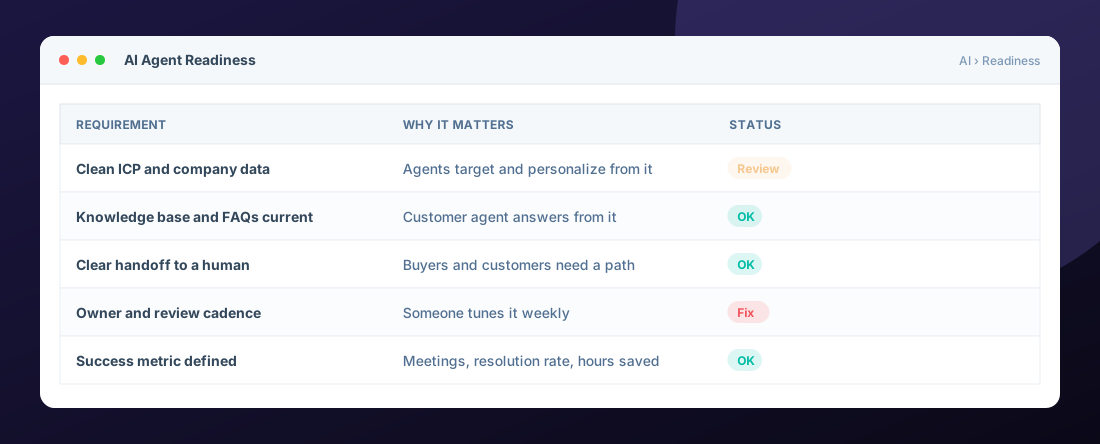
Our rule: never amplify a motion that isn't working. AI makes a good process faster and a broken one louder. Fix data and process first, then turn the agent on.
Where We See the Best Results
The strongest results come from teams that use agents to arm their people: reps who spend less time researching and more time talking, and support teams that answer simple questions instantly so they can focus on the hard ones.
Frequently Asked Questions
Will HubSpot AI agents replace our sales or support team?
They are best at research, drafting, and answering repeatable questions. The teams that get the most from them use agents to free people up for higher value conversations.
What do we need before turning on the prospecting agent?
A clear ideal customer profile, reasonably clean company and contact data, approved messaging, and someone who reviews outputs while you tune it.
How does the customer agent know what to say?
It draws on content you provide, like your knowledge base and website pages. Keeping that content current is the biggest driver of answer quality.
Are HubSpot AI agents included in our subscription?
Availability and usage limits depend on your hubs, tier, and credits. Check your account and HubSpot pricing details before planning a rollout.
Explore all 10 HubSpot services →

HubSpot Solutions Architect at Zentavra, a certified HubSpot Solutions Partner. Ten years and 200+ HubSpot builds for B2B sales, marketing, and service teams.